
English
Caterino / Find catering
Catering nearby
Find catering for your celebration
Compare caterers and enquire about availability for your preferred date for free.
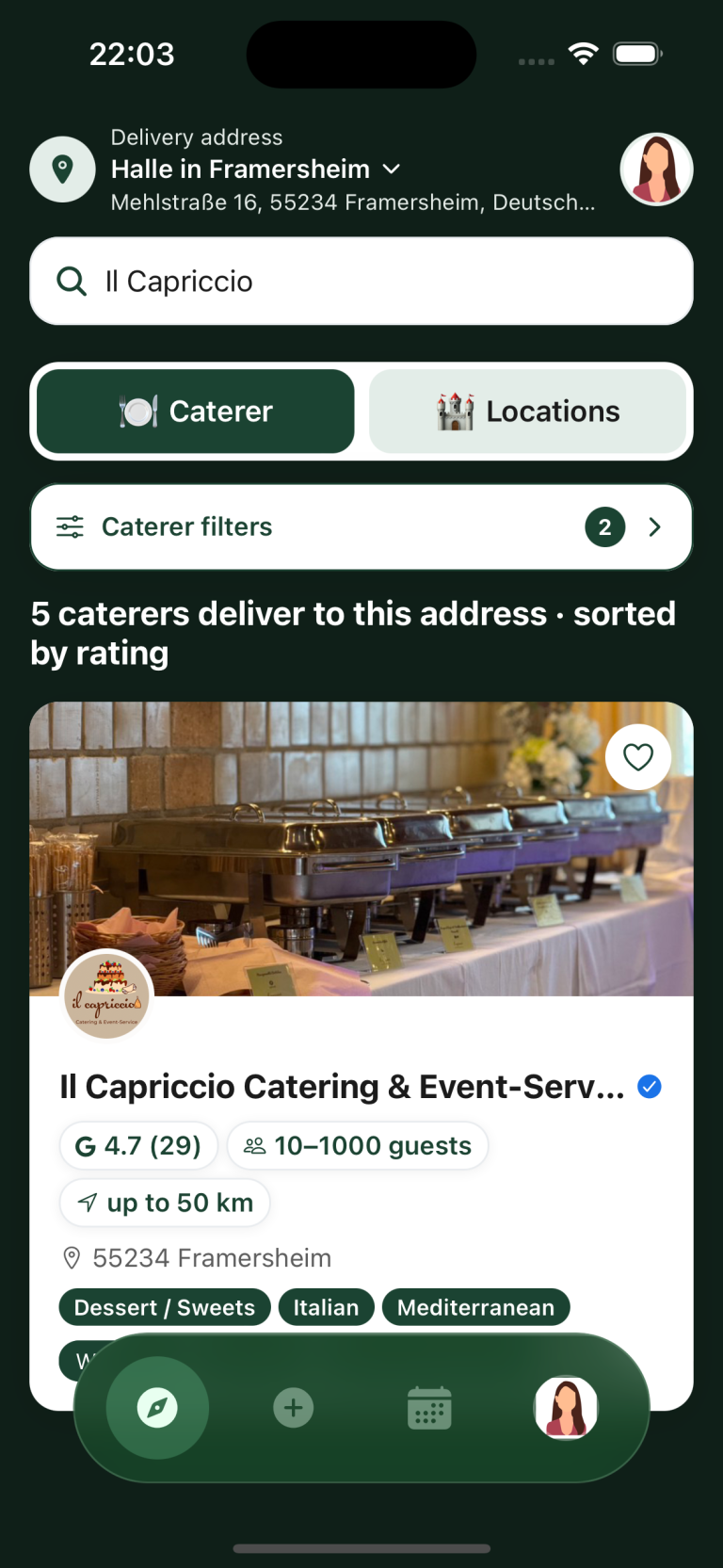

Compare caterers for your event
Find catering for your event by comparing guest capacity, delivery areas and cuisine. You can browse public provider profiles on a computer without signing in.
-
Guest count
Filter by your guest count. Each profile shows the number of guests the caterer can serve.
-
Delivery area
The profile shows the delivery area. Arrange delivery to your address directly with the caterer.
-
Cuisine
Profiles list the cuisines offered. Ask the caterer about specific dishes, dietary needs and allergies.
Ask the caterer to confirm your preferred date.
How to request catering quotes
-
1. Choose your request type
If you have not chosen a caterer yet, describe your event once in an open request. Contact caterers you already know or have shortlisted directly through their profiles.
-
2. Add details and send
Enter your date, delivery address, guest count, budget and requirements. Review the details and send your request.
-
3. Compare offers
Compare the total price, food and included services. Ask the caterer whether delivery, setup and service staff are included in the offer.
Start your catering search
Download Caterino for iPhone or Android, or open the web app on your computer.
Frequently asked questions
What is Caterino?
Caterino helps you find catering businesses. You can view their profiles, send requests and discuss offers in the app.
Where can I compare the replies?
Open “My events” and select the request. You can read the providers’ replies there and ask questions in the chat.
How do I find caterers near me?
Enter the delivery address at the top of the app and choose “Caterer”. Use the filters to set your guest count and preferred cuisine.
How do I find catering for a large group?
Enter your guest count in the filters and check the capacity listed in each profile. Confirm your requirements with the caterer before booking.
Who do I book the catering with?
Caterino connects you with catering businesses. You book the food and agree the price and services with the business you choose.
Does the search cost anything?
Search and requests are free for event planners. Catering and venue hire are paid to the provider. Caterino does not charge a booking fee.
